Digital displays

Bring your booth to life.

Videri Digital Canvases combine ultra-thin commercial displays, built-in media players, and cloud content management in one wireless platform. Start with one canvas, build a coordinated wall, or bring an existing screen onto the platform with SparkBridge.

ieLITE is an authorized Videri reseller. Every configuration is quoted individually.

Single Digital Canvas

One sealed, wireless canvas for a counter, panel, upright, or reception point. Five sizes from 18.5" to 50".

Compare the Spark canvases

Wireless Canvas Wall

Two or more canvases orchestrated as one coordinated wall — no splitters, matrix switchers, or custom-cut artwork.

See Canvas Wall

Existing-Screen Upgrade

Already own displays? SparkBridge brings an existing input-based screen onto the same platform and schedule.

See SparkBridge
Spark Series canvases

Five sizes, one wireless platform.

Every Spark canvas is sealed, ultra-thin, and manages its own content through Portal3. Choose a canvas to see its details, or compare all five in the table below.

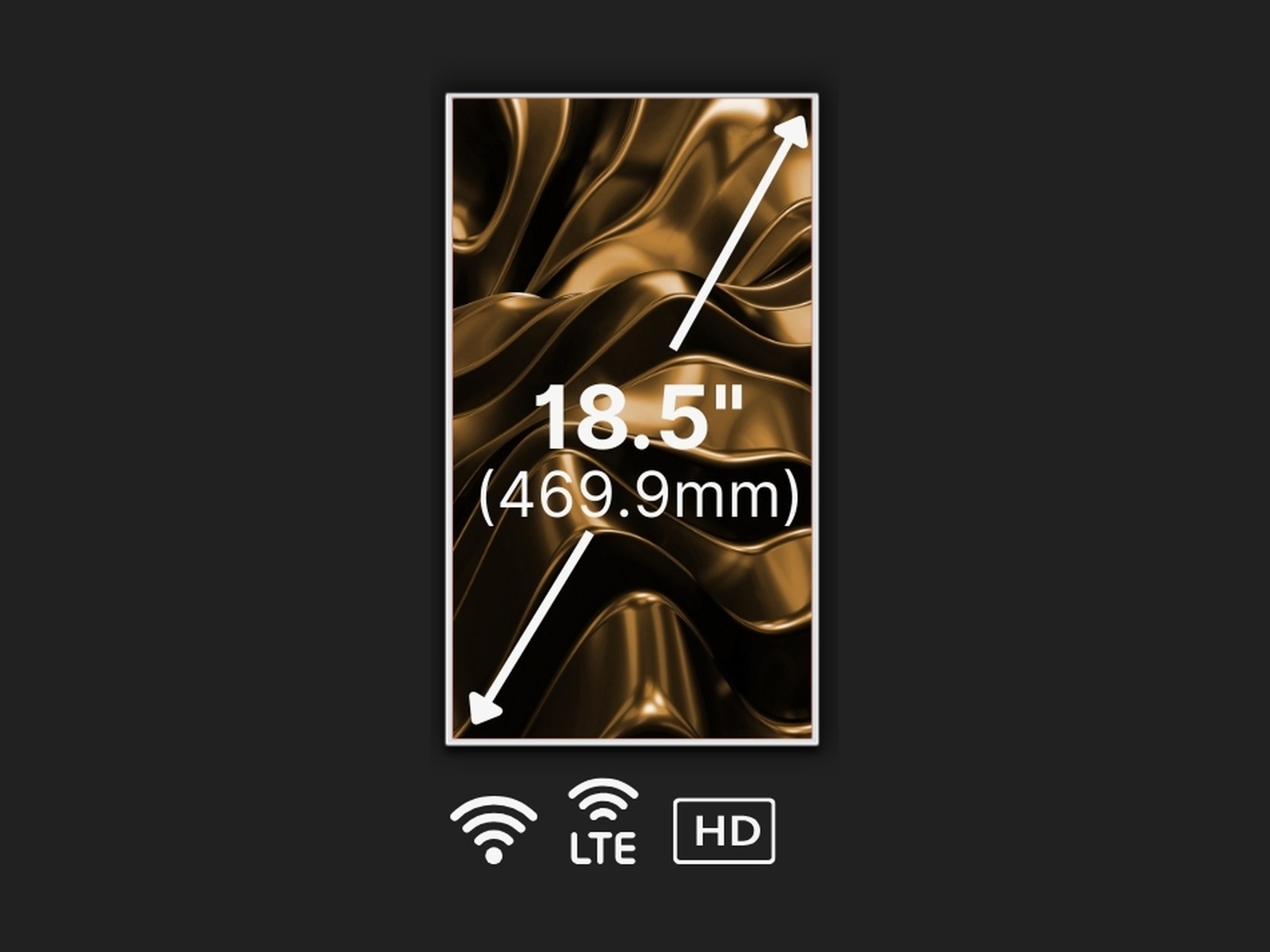
Videri Spark2 Compact Digital Canvas shown in portrait orientation with sample artwork on screen.
Choose a canvas

Videri Spark2 Compact Digital Canvas (18.5")

The smallest and most versatile canvas in the Spark Series. At 18.5 inches and five pounds, the Spark2 fits where a full display cannot — reception desks, shelf edges, endcaps, counter tops, and as a display topper above a taller fixture. It is also the only Spark canvas available with optional 4G LTE, so it can run in locations where Wi-Fi is unavailable or unreliable.

Canvas size
18.5" diagonal — 17.23"W × 10.19"H
Resolution
1920 × 1080 FHD
Included hardware & services
  • Videri Spark2 Digital Canvas with integrated media player
  • Integrated flush mount
  • Power cord
  • Videri Portal3 onboarding and platform licensing configured with your quote

Product render supplied by Videri. On-screen artwork is sample content; your canvas ships ready to display your own scheduled content.

Quotes confirm canvas configuration, mounting, Videri Portal3 platform and licensing, shipping, content readiness, and your show requirements. We reply within one business day.

View Display
Compare the Spark canvases

Side by side.

For a typical 10×20-foot or 10×10-foot booth, the Videri Spark4 Digital Canvas (43") is our recommended versatile default — large enough to read across an aisle, still light enough to mount on a standard upright. Treat it as guidance rather than a fixed package; we will confirm the right canvas for your space on the quote.

Videri Spark2 Compact Digital Canvas (18.5")
Screen size
18.5"
Resolution
1920 × 1080 FHD
Overall dimensions
17.23"W × 10.19"H
Weight
5.0 lb (2.25 kg)
Typical power
17W
Best fit
Point-of-sale placements, reception desks, shelves, endcaps, and locations without dependable Wi-Fi.
Videri Spark3 Digital Canvas (32")
Screen size
32"
Resolution
1920 × 1080 FHD
Overall dimensions
28.69"W × 16.65"H
Weight
12.1 lb (5.5 kg)
Typical power
36W
Best fit
Exhibit panels, counters, retail fixtures, wayfinding, and smaller placements that still need a readable message.
Videri SparkQ+ Square Digital Canvas (33")
Screen size
33" (square)
Resolution
1920 × 1920
Overall dimensions
24.61"W × 24.61"H
Weight
15.4 lb (7 kg)
Typical power
53W
Best fit
Exhibit walls and retail layouts that want a distinctive shape, and brands publishing square social-format content.
Videri Spark4 Digital Canvas (43")
Recommended default
Screen size
43"
Resolution
3840 × 2160 4K UHD
Overall dimensions
38.23"W × 22.05"H
Weight
20.94 lb (9.5 kg)
Typical power
63W
Best fit
Booth backwalls, showroom features, menu boards, and lobby placements that need presence without oversizing the space.
Videri Spark5 Digital Canvas (50")
Screen size
50"
Resolution
3840 × 2160 4K UHD
Overall dimensions
43.42"W × 24.92"H
Weight
28.7 lb (13 kg)
Typical power
81W
Best fit
Feature walls, window displays, primary menu boards, and any placement where the display is meant to be the first thing seen.
Beyond a single canvas

Walls and existing-screen upgrades.

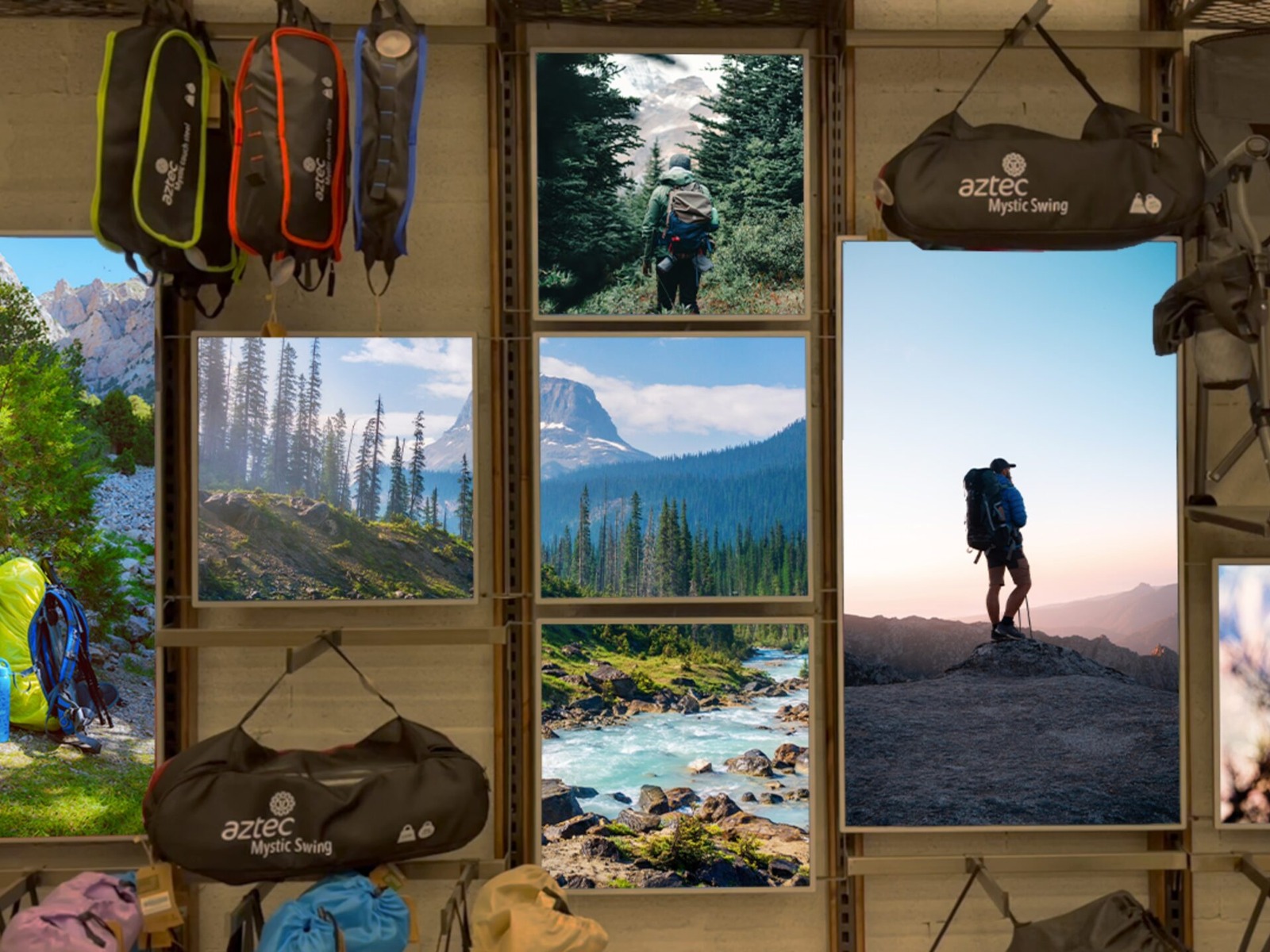
A wall of Videri Digital Canvases installed together displaying coordinated brand imagery in a retail environment.

Videri Wireless Canvas Wall

Canvas size
Multi-panel — configured to your space
Best for
Feature walls, storefront windows, exhibit backwalls, and lobbies where one large, changeable canvas of content should own the room.

Several Videri Digital Canvases orchestrated as a single wall. Because each canvas has its own media player and receives content wirelessly, there are no splitters, no matrix switchers, and no custom-cut artwork — the platform adjusts content for the physical gaps between canvases and lets the same canvases run individually or combined within one schedule. Walls can mix sizes and orientations, including staggered and asymmetric layouts a traditional video wall cannot produce.
View Solution
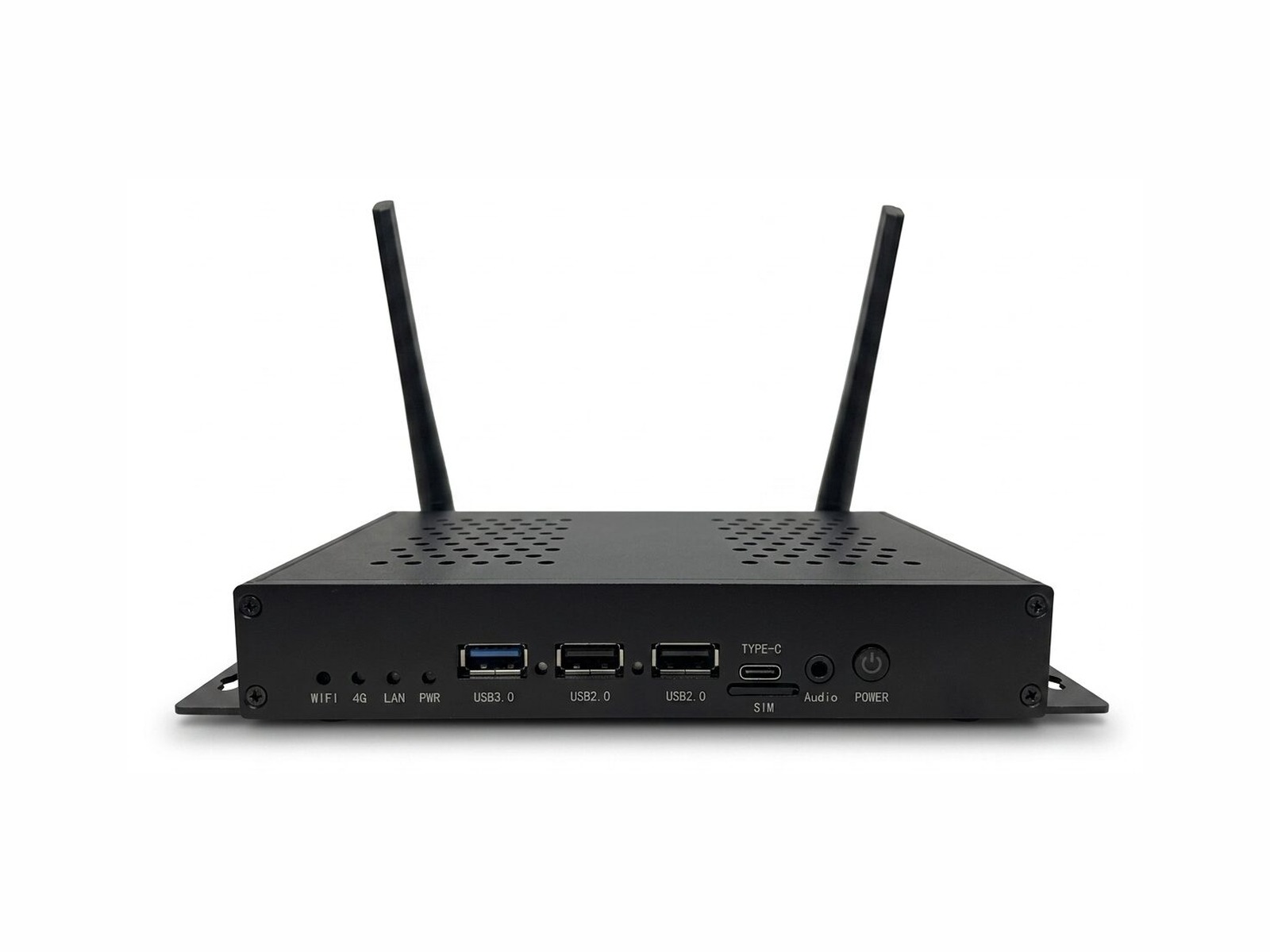
Videri SparkBridge media player shown from the front with its wireless antennas extended.

Videri SparkBridge Existing-Screen Upgrade

Canvas size
External media player — pairs with your existing display
Best for
Programs with displays already in service that want unified content management, and mixed-hardware estates that need one platform.

Bring a screen you already own onto the Videri platform. SparkBridge is an external media player that connects an existing LCD, LED, touch, or brand-standard display to the same cloud content management, scheduling, and device monitoring that runs Videri Digital Canvases. It is the practical path for exhibitors and brands with screens already in service who want one platform across everything instead of two systems and two workflows.

View Solution
Why Videri

Built to be a display, not a workaround.

  • Change the message without reprinting graphics — content updates from the cloud, not from a new print order.
  • The commercial-grade media player is built into the canvas, so there is no bracket-mounted box, HDMI run, or cabling to hide.
  • A .53" bezel and 15.5 mm depth read as a framed digital poster rather than a monitor bolted to a structure.
  • Portrait, landscape, and tilt compatible, rated for 24/7 operation, with up to 50% less energy draw than traditional LCD signage.
  • One platform scales from a single canvas to a coordinated wall or an estate of displays on a shared schedule.
Plan for show day

Five things to confirm early.

  • Power: order one powered outlet per canvas and confirm the drop location with the venue before move-in.
  • Network: ask for dedicated or hardline service rather than shared attendee Wi-Fi; Spark2 also offers optional 4G LTE.
  • Mounting and structure: confirm the integrated flush mount and VESA pattern against your panel, upright, counter, or wall.
  • Content orientation: decide portrait or landscape early so artwork is built at the right orientation and resolution.
  • Portal3: complete onboarding and schedule your content before the event rather than on the show floor.
FAQ

Common questions.

Is this a TV or an HDMI monitor?
No. A Videri Digital Canvas is a sealed commercial display with the media player built in. Native Spark canvases have no HDMI, USB, or Ethernet input — there is no laptop, stick, or external player to connect.
How is content updated?
Content is uploaded, scheduled, and monitored in the Videri Portal3 cloud platform, then delivered wirelessly to each canvas and played from onboard storage. You can change the message mid-show without new graphics.
Can several canvases work as one wall?
Yes. Because every canvas has its own player and receives content wirelessly, the platform orchestrates them as one wall — compensating for the physical gaps and supporting grid, staggered, and mixed-size layouts. The same canvases can also run independently within the same schedule.
What is needed at the venue?
A powered outlet per canvas, dependable network service, and a mounting point sized for the canvas. Indoor use only — these canvases are not weatherproof and are not intended for uncovered outdoor placement.
Can I use a screen I already own?
Yes, with SparkBridge. It is an external media player that connects an existing LCD, LED, touch, or brand-standard display to the same Portal3 content management, scheduling, and device monitoring.
Is pricing shown online?
No. Videri configurations are quoted individually. Your quote confirms hardware, mounts, Portal3 platform and licensing, shipping, and support, and we respond within one business day.

Let's scope your digital display.

Tell us about your space, network, and content plans. Your quote confirms configuration, mounting, Videri Portal3 platform and licensing, shipping, content readiness, and show requirements — with a reply within one business day.

Every quote request is reviewed by a real person.